1.First we have to deploy AnalyticsRes in console.
Like below screen.
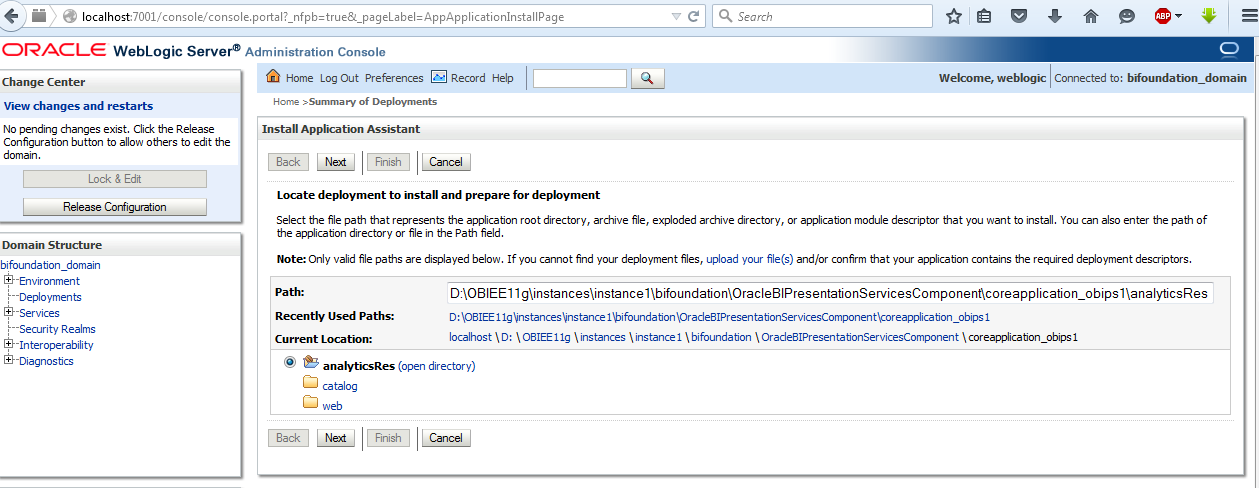
2. After Deployed AnalyticsRes
3. One Folder will be create in under below path name as AnalyticsRes
D:\OBIEE11g\instances\instance1\bifoundation\OracleBIPresentationServicesComponent\coreapplication_obips1\
4. Create one Folder under below Path.
5.D:\OBIEE11g\instances\instance1\bifoundation\OracleBIPresentationServicesComponent\coreapplication_obips1\analyticsRes\
In my case I created d3.
Paste Below java Script In above Path.

6. Go to Analysis
7. Create report.
8. Create Narrative View.
9. Paste postfix.txt in postfix option in narrative
10.Same as prefix also.
Download postfix.txt @ https://sites.google.com/site/sssbipvt/upload-files/postfix.txt?attredirects=0&d=1
Download prefix.txt @ https://sites.google.com/site/sssbipvt/upload-files/prefiex.txt?attredirects=0&d=1
Like Below Screen.
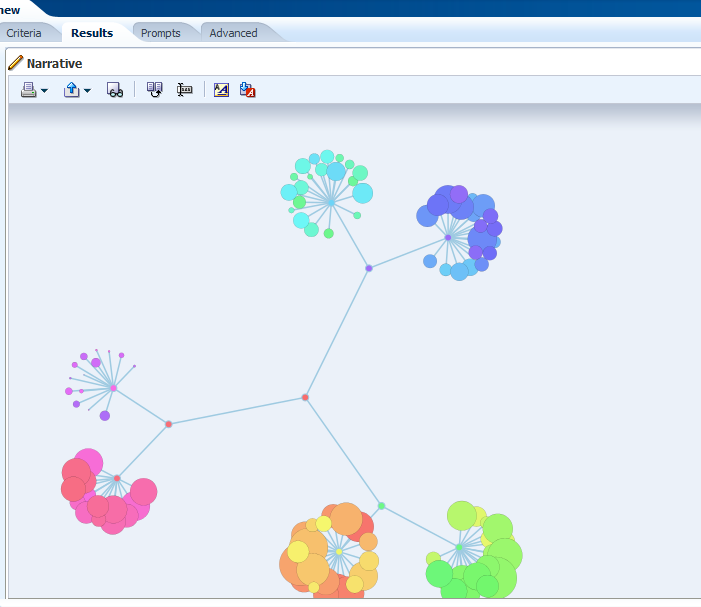
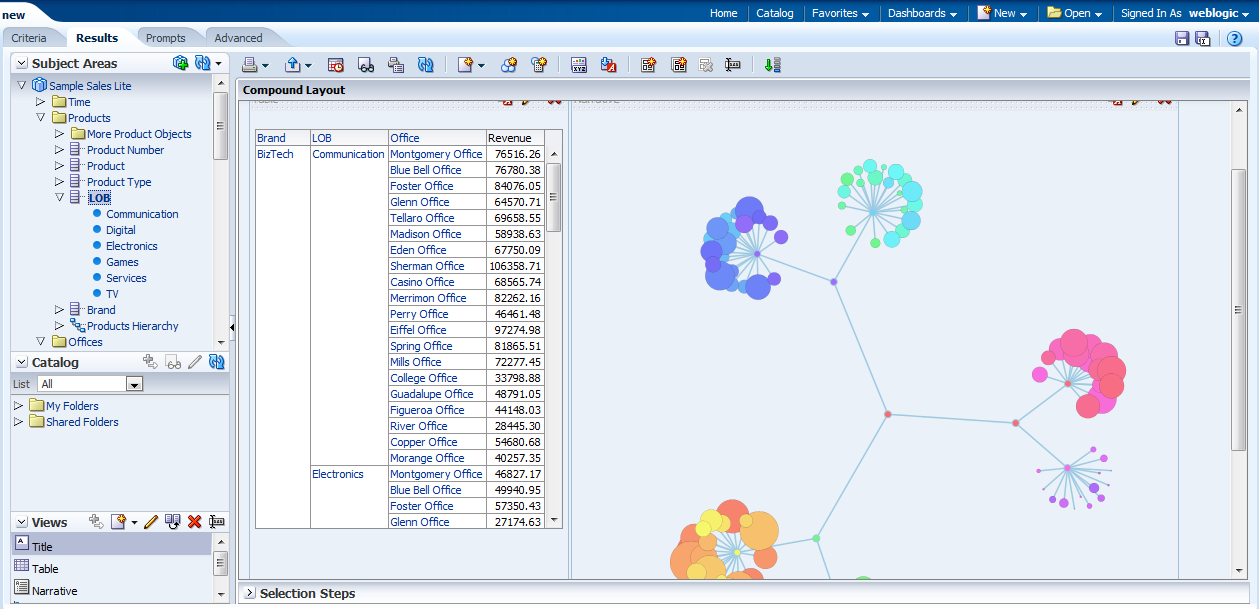
After paste all the things we will get Flower views like below screen.