
The following steps for downgrading rpd version from 326 to 325 are as follows:
- Go to the command prompt and enter the following path
<BI_HOME>\bifoundation\server\bin
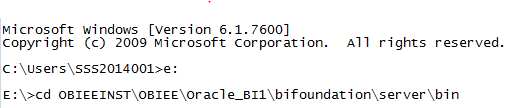
- Then give the following command for downgrading rpd i.e.
Syntax: nqgenoldverrpd [-P repository password] -I input_repository_pathname –O output_repository_pathname -V version
- nqgenoldverrpd -P Admin123 -I E:\OracleBIApps.rpd
-O D:\OracleBIApps7.rpd -V 325 --> enter
Where
–P indicates Repository Password,
-I indicates input path where originally repository is taken (E:\OracleBIApps.rpd),
-V indicates the version to which we want to downgrade rpd.
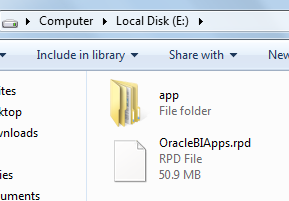
- Whereas –O indicates output path where downgraded rpd is placed (D:\OracleBIApps7.rpd -V 325)
After entering, it starts reading as Reading E:\OracleBIApps.rpd...
After sometime, it shows as preprocessing...

- After Preprocessing, the rpd will be downgraded in the specified path, here mentioned is in ‘D: \’

